
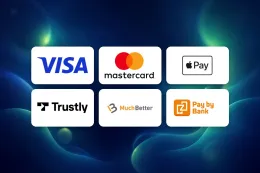
To make a Lottoland deposit, log in, open the cashier, pick a payment method and enter an amount of at least £1. The steps above show the order, and the table shows which methods accept deposits and which also accept withdrawals.
Before you start, have your Lottoland login details to hand and choose a payment method that is in your own name. A debit card, your online banking app or your MuchBetter app should be within reach, because many payments need a confirmation from your bank or provider. If you have not registered yet, the sign-up guide comes first.
The rest of this page covers what happens around the payment: the checks you can expect, how the methods differ, what to do when a payment fails and how to keep your account secure.
What stands behind a Lottoland deposit

Checks before you pay
A UK-licensed operator must verify your age and identity before you can deposit or play, and Lottoland requires account verification. The documents are Passport or driving licence and Bank statement or utility bill from the last 3 months. Prepare them in advance so a request does not catch you in the middle of a payment. If you want to know what a good scan or photo looks like, the verification guide goes through it.
How the payment methods differ
Lottoland accepts Visa debit, Mastercard debit, Bank transfer, Trustly and MuchBetter. They fall into three groups.
- Debit cards (Visa and Mastercard). You enter the card details in the cashier and, depending on your bank, approve the payment in your banking app or with a code. Both card types work for deposits and withdrawals.
- Bank transfer. You pay from your bank account. It works for deposits and withdrawals. Transfers between banks can take longer than card payments, so allow for that if you are in a hurry.
- Trustly and MuchBetter. Trustly links the payment to your online banking, and MuchBetter is a mobile wallet. Both are deposit-only at Lottoland, so you will need a card or bank transfer when you want to withdraw.
Credit cards cannot be used for gambling in Great Britain, so a credit card will not work and you should not try to use one. If your card is not clearly labelled debit, check with your bank before you enter it.
Minimum amount and the payment itself
The minimum deposit is £1. That is the lowest amount you can enter, not a suggested one. Pick an amount you have decided on in advance, not one that the cashier makes easy to type.
Check the name on the payment method matches the name on your Lottoland account. A card or bank account held by someone else is a common reason for payments and later checks to run into trouble. Your bank or wallet provider may charge its own fees or apply its own limits, so look at those in your banking app if the amount matters to you.
Deposits, bonuses and withdrawals
A deposit and a bonus are separate things. If you are interested in an offer, read its terms before you pay, because conditions such as wagering and time limits belong to the offer and not to the deposit. The welcome bonus page covers the current offer. T&Cs apply.
Think about withdrawals before you choose a method. Because Trustly and MuchBetter are deposit-only, using one of them means you will still need a card or a bank account for cashing out. The withdrawals guide explains that side of the cashier.
18+ · T&Cs apply
Common deposit problems and what to do
The payment is declined
Check the basics first: the card number, expiry date and security code, the billing address registered with your bank, and enough available balance. Make sure the amount is at least £1. Because credit cards are not accepted for gambling in Great Britain, a declined payment can also mean that the card is a credit card.
If the details are right and the payment is still declined, ring or message your bank. Banks sometimes block gambling payments on a card, or ask you to confirm a payment in their app. Do not retry again and again: each attempt may create a separate authorisation on your card, and the repeated attempts make it harder to see what went wrong.
The money has left your bank but not reached your account
Look at your bank statement or app first. A payment can show as pending while the bank is still processing it. If the amount has been taken and your Lottoland balance has not changed, wait for the bank's pending status to clear before you contact anyone. Then check your transaction history in your account and contact support, who can look at the payment.
Do not make the same deposit a second time to see whether it works. You could end up with two payments instead of one.
Your account asks for verification
Verification is required at Lottoland, so you may be asked for documents. Send the documents listed in the brief: Passport or driving licence and Bank statement or utility bill from the last 3 months. Make sure each photo or scan is clear and complete, with all four corners visible, and that the name and address match the details in your account. If a document is rejected, read the reason given, replace it with a clearer or more recent one and send it again. The verification guide lists the usual causes.
You cannot log in to deposit
A deposit starts from your account, so a login problem stops it. Use the password reset on Lottoland's own website or app and check that you are typing the email address you registered with. The login guide covers forgotten passwords and locked-out accounts in more detail.
When to contact support
If the steps above do not solve the problem, contact Lottoland support. Live chat and email are available; there is no phone line. Support hours: 24/7 (live chat, first AI bot Lopetto).
Give the support team what they need to look at the case quickly: the payment method, the amount, the date and time, and a description of any message you saw. A screenshot of the message helps. Never send your full card number, security code or password. The contact page lists the channels.
Keeping your account and your spending under control

Use Lottoland's own website or app. Enter your password and payment details only there. Do not follow a link in a message or on another site to a page that asks you to log in, and do not share your password or the code your bank sends you. This site has no login or payment form.
Set a deposit limit before you pay. Operators licensed in the UK offer deposit limits in the account settings, and setting one before your first payment means the decision is made while you are calm. Gambling costs money and is entertainment, so only deposit what you can afford to lose. If you want to take a break, time-outs and self-exclusion are available, and GAMSTOP covers all UK-licensed online operators. More on the safer gambling page.
Keep your documents ready. Store the passport or driving licence and a recent bank statement or utility bill somewhere you can find them. The utility bill or bank statement needs to be recent, so check its date before you upload it.
Check your history. Look at your transaction history in your account and on your bank statement from time to time. If you see a payment you do not recognise, contact your bank and Lottoland support straight away.
Use your own payment methods. Pay only from a debit card, bank account or wallet in your own name, and never ask someone else to deposit for you.